PAID TRAFFIC SET-UP TUTORIALS
We are currently re-building our paid traffic video tutorials.
In the meantime here is access to the traffic set-up videos from top media buyer Ben Heath who has profitably invested over $300M in paid traffic for himself and his clients and made $1.2 BILLION in sales + you'll learn from some of my other digital traffic mentors including Jamie Stenton, who's
an expert when it comes to running ads.
You have EVERYTHING you need to hit 7-Figure with what I have already taught you during the CLIENT ACQUISITION ACCELERATOR training program + implementing the following traffic training video to scale your business!
VERY IMPORTANT:
Watch the following over the shoulder videos below & pause each time you need to... then go TAKE ACTION. By the time you have completed this section of the last module of C.A.A you'll have your paid traffic campaign set up correctly.
You also want to have the following PDF manuals open and available during the set up phase so you can refer back to them when needed.
Module #7 (Copywriting)
Module #8 (Funnels)
Module #10 (Paid Traffic)
Facebook / Meta Ads Course Campaign Set Up Tutorial
Facebook / Meta Ads Course Campaign Set Up Tutorial
Why Facebook / Meta Bans Accounts!
Facebook / Meta Ads Do’s & Don’ts For Headlines
Installing The Facebook / Meta Pixel Onto Your Funnel
Here’s The Critical Thing You Must Have!
You Must Have The Facebook Pixel Installed Onto Your Funnel
This is non-negotiable.
You need:
👉 Pixel tracking on your VSL FUNNEL = Landing Page / Lead Capture Page >>> VSL Page >>> Pre Call Page
Otherwise:
· Leads won’t track correctly
· CPA will be wrong
· ROAS will be wrong
Minimum Pixel Events You Should Have
On your VSL funnel:
Event Where The Pixel Fires
Page View >>>>>>> Landing Page / Lead Capture Page
Lead >>>>>>> After The Form Submission On The VSL Page
Schedule >>>>>>>> After The Call Is Booked On The Pre-Call Page
These events allow Facebook to track conversions correctly.
Understanding How To Set Up UTM Parameters So You Can Track Your Ads Effectively
Since you're going to be using a funnel software with a landing page / lead capture page to generate leads:
👉 The Leads won't automatically show per Ad ID unless tracking is set correctly.
This is where UTM Parameters come into play.
What Is a UTM Parameter?
UTM parameters are small pieces of text code added to the end of a URL that help you track where your traffic is coming from.
They tell your daily ad tracker exactly which ad brought someone to your page to become a lead.
For example, you can use UTM parameters to see whether a visitor came from a specific Facebook ad, an email campaign, or a specific link.
In simple terms, UTM parameters act like tracking labels on your links, so you can measure what’s working and make smarter marketing decisions.
Use Dynamic UTMs
This is the professional method because it automatically tags each visitor with:
· Ad ID
· Campaign
· Ad Name
So, you can see in your DAILY AD TRACKER… which ads are performing within KPI and which ads are not performing within KPI over the 7-Day Testing Phase.
This is where you’ll cut all the ads that are not performing and add your traffic budget into the ads that are performing to scale up.
You can then create more ad creatives & copy based off the ads that are working by modelling what’s working.
This is otherwise known as…
FEEDING THE STALLIONS & STARVING THE PONIES
Here’s What You MUST Do >>> Add This To Your Facebook Ad URL
Inside each ad:
Go to:
Tracking → URL Parameters
Paste this code:
utm_source=facebook
&utm_campaign={{campaign.name}}
&utm_adset={{adset.name}}
&utm_ad={{ad.name}}
&utm_adid={{ad.id}}
This is extremely important.
It passes the Ad ID into your funnel automatically.
When someone becomes a lead:
Your system knows:
✔ Which Ad Generated The Lead
✔ Which Campaign Worked
✔ Which Creative Converted Within KPI
Your DONE FOR YOU DAILY AD TRACKER will then calculate the metrics automatically… enabling you to make strategic traffic decisions. And that’s where scaling decisions come from.
Here’s How Leads Get Into Your Google Tracking Sheet Automatically
You connect your:
Landing Page → Google Sheets
Using:
· Make.com
Or you can export the data from the ads manager daily and upload it to your google sheet. (Takes about 30 seconds)
Once set up, you’ll have a…
Fully Automated Tracking System With The Correct Flow
Here’s what your finished automation will look like:
Facebook / Meta Ads
↓
Landing Page / Lead Capture Page (with Pixel + UTMs)
↓
Funnel (VSL Page + Pre Call Page With Pixel)
↓
Make . com (AI Automation Workflows)
↓
Google Sheets KPI Tracker
Everything updates automatically and requires no manual work.
To begin with… if you you're not using make . com you can manually track the leads by name when they become a lead on your list / book an appointment in your Calendly software.
However, as you scale with more leads this gets too confusing, so you’ll need to use https://www.make.com/ to automate this for you.
This will allow you to track the leads name and appointments to the specific AD ID + AD NAME!
If you are already part of my…
…DONE FOR YOU AI FUNNELS + BUSINESS INFRASTRUCTURE COACHING PROGRAM…
We do ALL of this for you… completely DONE FOR YOU!
The New Way To Set Up Traffic Targeting (Let Facebook / Meta’s AI Find You Buyers)
Setting Up The Correct Campaign Structure
TRAFFIC CAMPAIGN CONVERSION OBJECTIVES
FUNNEL # 1 - DM FAST TRACK FUNNEL Conversion Objective =
Click To Message
Select Messenger / Instagram / Whatsapp (depending on what platform you want to receive messages on)
(This will allow Facebooks Algorithm to optimize for DM conversations)
FUNNEL #2 - VSL FUNNEL Conversion Objective =
Website Conversion
(Conversion Event You Set Based Off Your Pixel Which You Need To Set Up = Schedule)
(This will allow Facebook's AI to optimize for booked calls)
Creating Lookalike Audiences
Setting Up Your Retargeting Campaign
The New Way To Test Facebook Ads (Post Andromeda Update)
How To Analyse & Optimize Your Facebook Traffic Campaign.
Facebook / Meta Tracking System
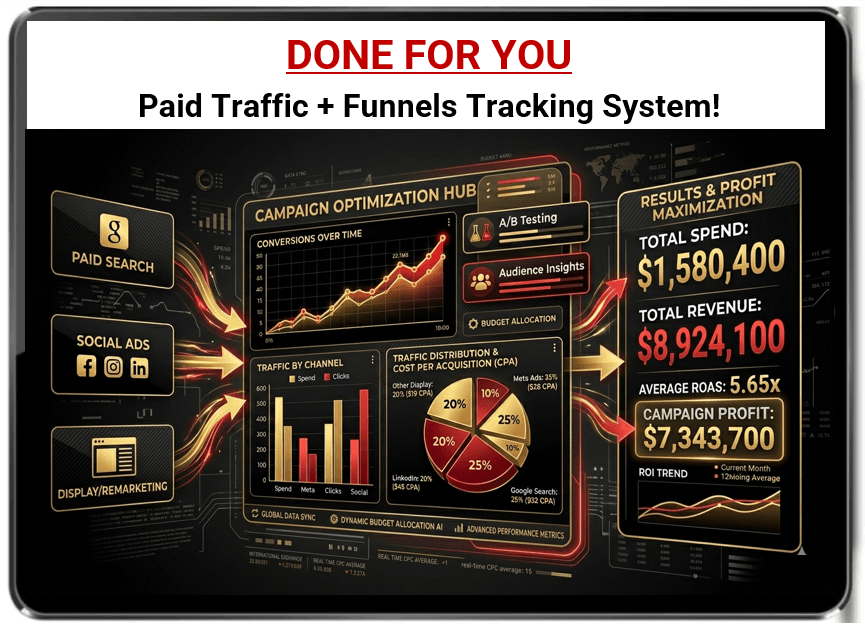
Access Your Daily Ad Tracker Sheet
https://docs.google.com/spreadsheets/d/15lemfNb2VPyVrs2sT2x41VnwRio6YO9vfx0LmWTJyEM/edit?usp=sharing
The Best Way To SCALE Facebook / Meta Ads
Facebook / Meta Ads Omnipresent Content Strategy
OMNIPRESENT TRAFFIC MAP!
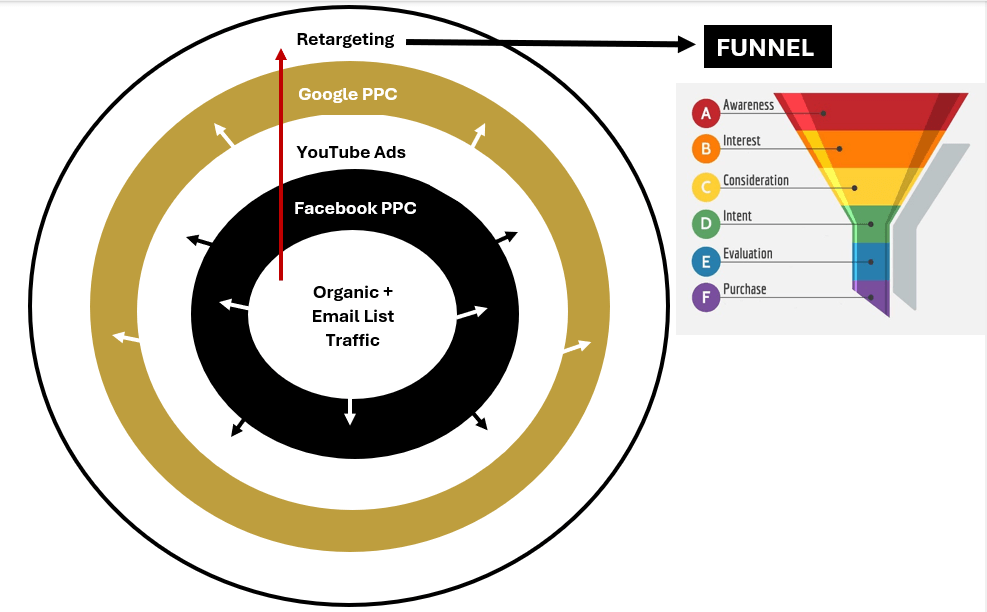
To implement the OMNIPRESENT TRAFFIC MAP you should have already started with ORGANIC MARKETING using...
> DIRECT OUTREACH MESSAGES (C.A.A Module #5)
> CONTENT MARKETING (C.A.A Module #6)
On 1 social media platform (max 2 platforms to start with)
Ideally during this stage you should also be building your EMAIL LIST as that becomes a FINANCIAL ASSET that you can tap into to book qualified appointments and create income on demand.
When you've hit $10,000 - $30,000 in PROFITS from your free organic marketing. You should then start to think about moving to the next layer of the TRAFFIC MAP shown above by starting PAID TRAFFIC with Facebook Ads.
When you continue to mix ORGANIC MARKETING + 1 PAID TRAFFIC SOURCE with Facebook Ads / Instagram Ads you can scale to $1M very fast when you have a high converting offer in place which I taught you how to create during module #2!
When you've hit 7-Figures in sales with FB Ads + Instagram Ads, you're goal is to start building your A-TEAM by hiring an expert media buyer who can help you run your traffic campaigns. You can then branch out again by building your YouTube Ads campaign.
After scaling YouTube Ads, you'll then branch out and start Google Ads.
When optimizing each paid traffic source (Facebook Ads, YouTube Ads & Google Ads). You'll also want to RE-TARGET your traffic on each platform so you can increase OMNIPRESENCE & SALES CONVERSIONS.
When you complete what I have just taught you, you'll have achieved MTSS!
MTSS = Multiple Traffic Source Stacking
When this is achieved you'll have developed 3 important targets:
1) You'll have more QUALIFIED LEADS & APPOINTMENTS flowing into your business than you know what to do with!
2) You'll be making daily high-ticket SALES!
3) You'll have created a real online business that has ENTERPRISE VALUE & STABILITY which doesn't rely on one traffic source... that investors will be willing to pay multi-7-figures for... if you ever decide to sell your business (Providing you have completed all action steps from previous modules of the Client Acquisition Accelerator training curriculum)
OPTIONAL - When you're making consistent profits from your business and you have an extra $3,000 -$6,000 per month to invest into AD SPEND... you can click this link below and get DONE FOR YOU ADS run by a $300M paid ads expert and his team who have produced over $1.2 BILLION IN SALES for their clients.
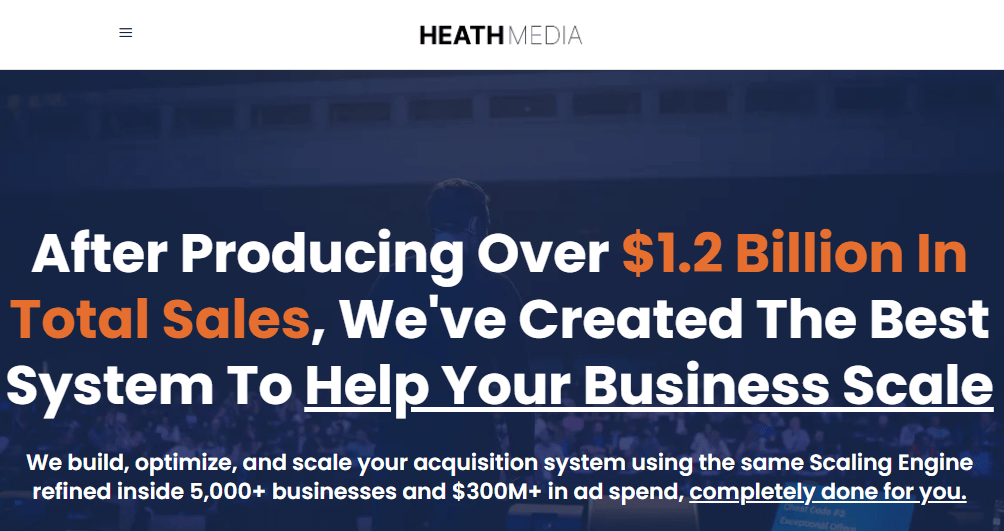
https://heathmedia.co.uk/done-for-you/
Below is the traffic set up tutorials for YouTube Ads & Google Ads
YouTube Ads Course
Google Ads Course